In case you haven’t heard, JMP 12 is coming very soon. I hope you’re as excited about this release as we are. If you are, you’re probably ready to figure out how to get it for yourself. There are a few different ways, depending on the kind of license you have.
No license
If you’re not yet a JMP user, get a license for yourself.
Annual license
If you have a license that renews annually, an upgrade to JMP 12 is included as a part of your license. Ask your software administrator to request the upgrade to JMP 12 at jmp.com/upgrade on or after March 19, 2015. If you don’t know who your software administrator is, contact us with your Site ID number, and we can point you in the right direction.
Single-user, perpetual license
This type of license will require you to purchase an upgrade to JMP 12. Contact us, and we can get you set up.
Don’t know what kind of license you’ve got?
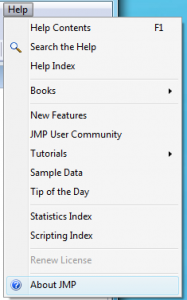
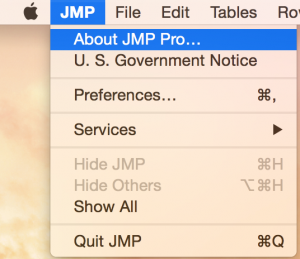
It’s easy to figure out what kind of license you’ve got. Look in the “About JMP…” window. You’ll find this window in the Help menu on Windows and in the JMP menu on a Macintosh.
If you see a Site ID, then you have an annual license:
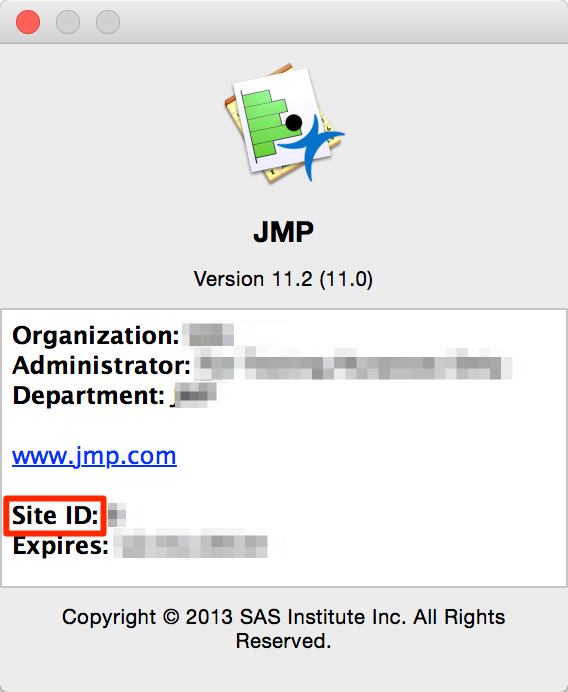
Annual license on Macintosh
If you see a Serial Number, then you have a single-user, perpetual license.
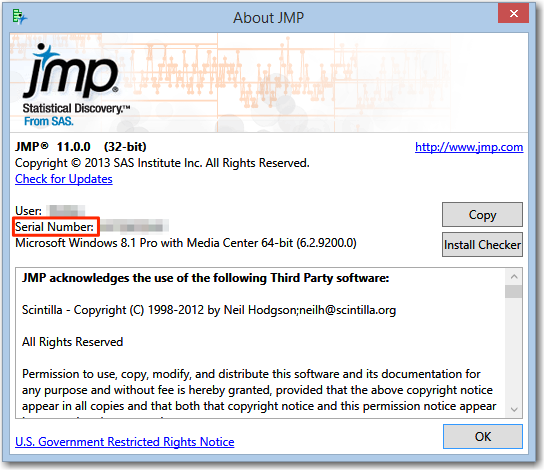
Single-user, perpetual license on Windows
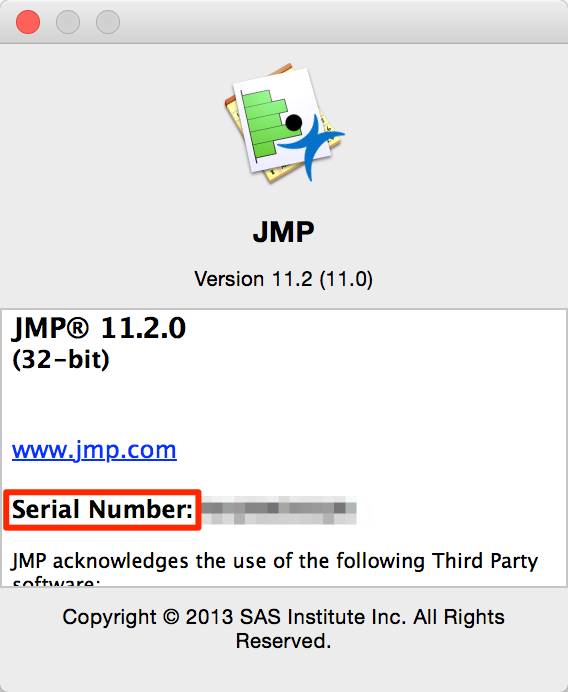
Single-user, perpetual license on Mac
Still don't know what to do?
We are always here to help, and we are and only a email or phone call away.
