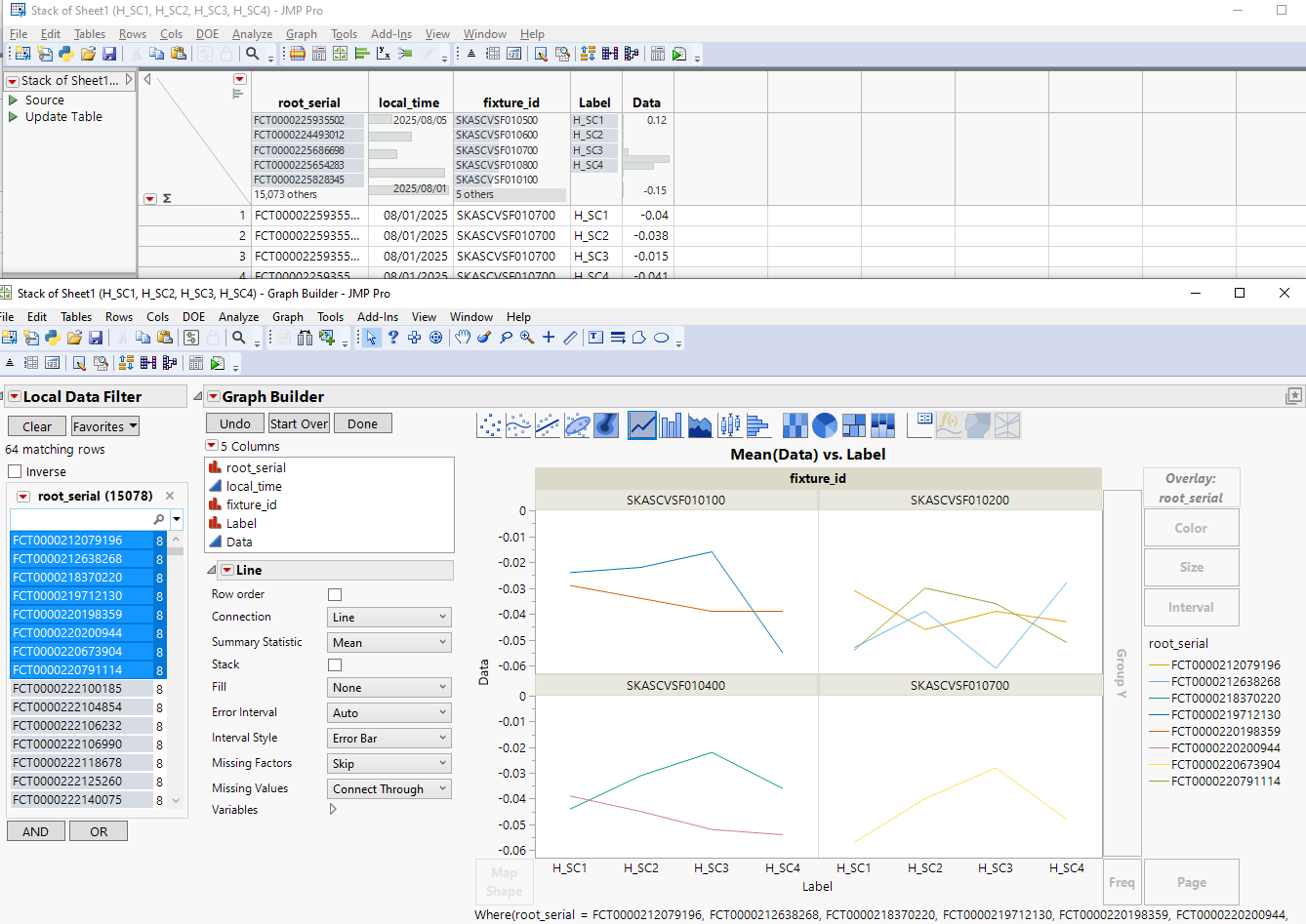
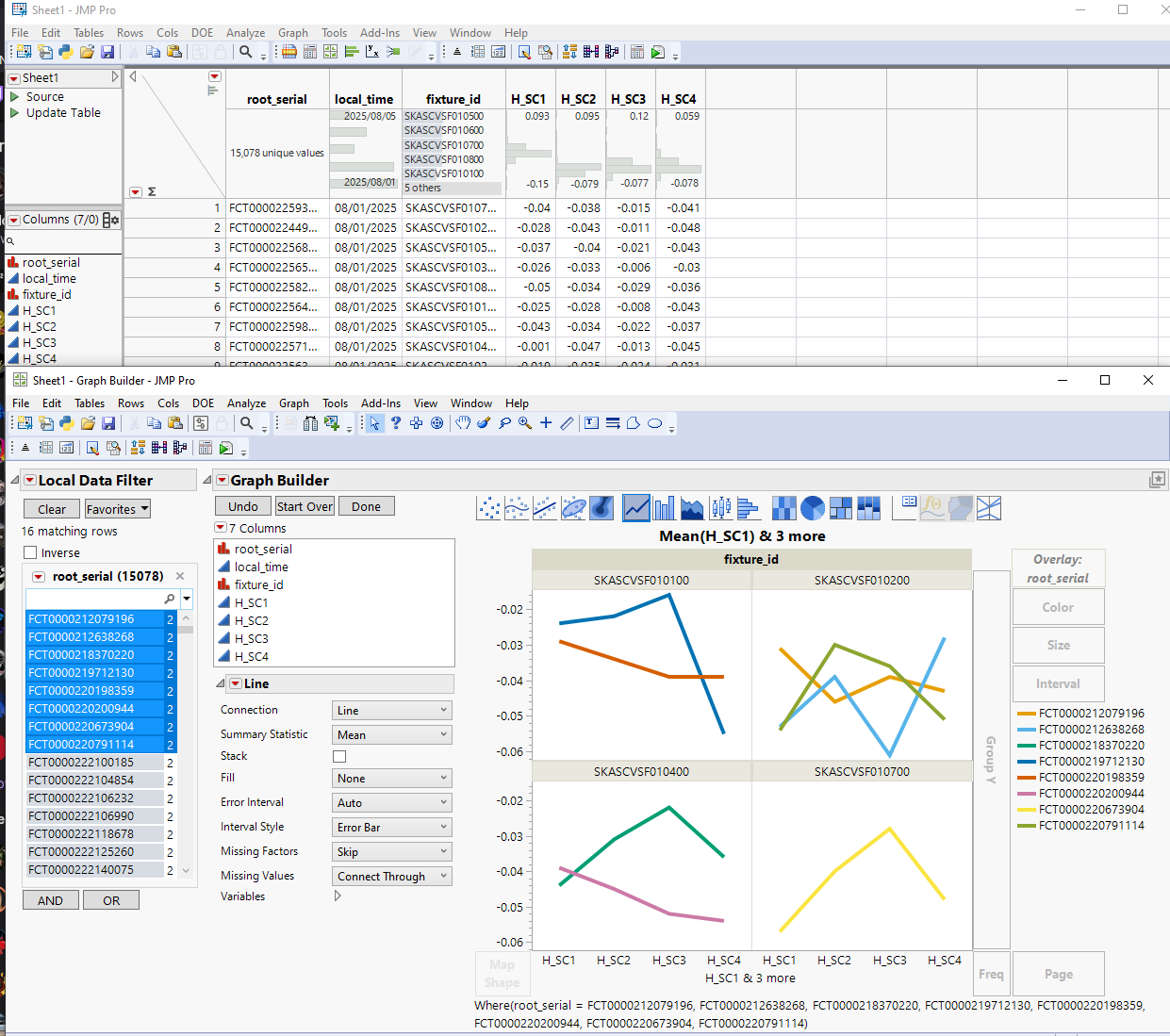
图形生成器里面,定制图形设置线粗为1,增加别的变量设置都还是细线,叠加root_serial之后又全部变默认粗线了?!
请专家帮我看下错在哪里,非常感谢
JMP does reset the graph settings sometimes when "big" changes are done to the graph. In this case if I remember correctly, JMP will set the line width to one for the first line and when you add Overlay it will keep default settings for the rest of the lines. You can go to edit Legend, select all your lines and set them to width of one. If this is something you wish to do very often, you could write small script to change the line width for all of your lines
You can also set Line Width to 1 from preferences but I think it might be bugged when you use it for lines like this (plotting over multiple x-columns). @XanGregg
https://www.jmp.com/support/help/en/18.1/index.shtml#page/jmp/preferences-for-jmp-graphs.shtml#
Line Width
Sets the default width (in pixels) for lines that pertain to content. The default setting is two pixels.
Note: This preference does not apply to grid lines.
Simple script which could be added as toolbar or shortcut
Names Default To Here(1);

segs = Current Report()[FrameBox(1)] << Find Segs();

For Each({seg}, segs,
	If(seg << Class Name == "LineSeg",
		seg << Set Line Width(1);
	);
);
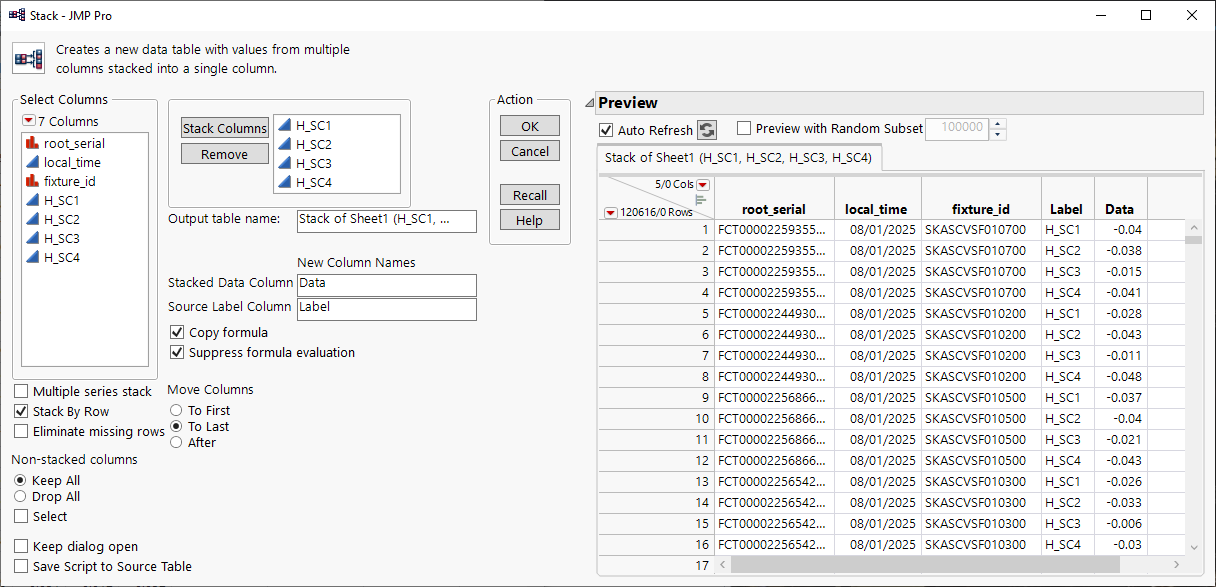
If you are able to stack your data, you could avoid the "bug" (or feature/oversight?) with line width.
With stacked data you can make graph builder to follow the line width preference (set to 1 here, default is 2)
With the non-stacked data the width of line will be 4
虽然没能完全解决问题,还是非常感谢!
按照你的说法,我做到了,再次感谢!