How to automatically select table in journal in order to rerun in new windowHi JMP Community,
After generating a Journal, I would use "rerun in new window" to rerun the plot, however before it executes it will ask to me select a table. How do i make it so that it will automatically select the tables in the folders for me since the both are in the same folder.
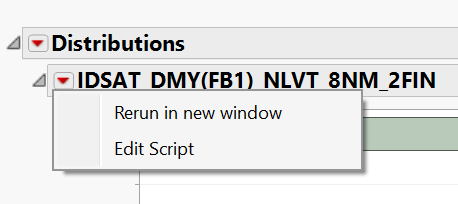
Thank You.
Data TableOtherScriptingWindowsRe: How to automatically select table in journal in order to rerun in new windowI'm not sure if it can be done through a journal as it seems like Journal doesn't save the data table reference (reports in Journal are also static). I haven't really used Journals so only option that quickly comes to my mind is to to add a button which would then run a script to re-create the report (also if you have JMP17 using Workflow builder might work)
Re: How to automatically select table in journal in order to rerun in new windowThe second option is the key to making this work the way you want.
Choose the Edit Script option

Then edit the script like this:

The first line tells JMP which file to open. Then on the second line insert "dt<<" before the first argument. That sends the argument to the specified data table. Note that "dt" is an arbitrary variable name.
Hope this helps
-B
Re: How to automatically select table in journal in order to rerun in new windowThanks for the suggestion to making a button. I went ahead and make a button that connects to a script that opens my data tables.
