Feel free to add any tips to this article on the Office 365 Retention Policy.
Thank you @Duane_Hayes for getting this started.
Go to portal.office.com and click the waffle icon:

and select “OneDrive” to see a list of your files on OneDrive.

Next, right-click on a file or folder and select “Details”. In the panel that appears on the right, opt to “Apply label” and select the appropriate time period.

The day after (at least for me) you should receive a window dialog message from Microsoft OneDrive allowing you to review and restore any files from the recycle bin that should not be removed:
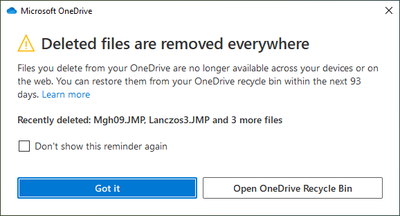
Here, click the “Open OneDrive Recycle Bin” to see the files set to be removed, Restore the ones you want to keep.
