Hi all
I made a nice script importing text files from my Zeiss CMM and adding Spec limits to each results column, it uses Manage spec limits
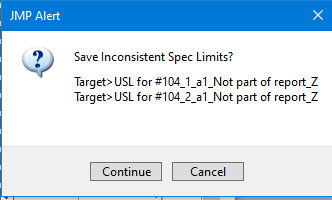
but my script will not accept -/- or +/+ tolerances when using JSL, because a warning box pops up.
So no tolerances are added to my columns, when I retry manually I can accept the import
Thanks
Jakob
Did you have a look at the Scripting index?
Manage Spec limits needs a certain format like the below script shows.
Or see JMP Help: Manage Spec Limits Utility (jmp.com)
If you want to set it manually, you need to use a specific syntax, like below. Have a look at the "table Script" to see the syntax.
Names Default To Here( 1 );
dt = Open( "$SAMPLE_DATA/Cities.jmp" );
obj = dt <<
Process Capability(
 Process Variables( :OZONE, :CO, :SO2, :NO ),
 Spec Limits(
  Import Spec Limits(
   "$SAMPLE_DATA/CitySpecLimits.jmp"
  )
 )
);
obj << Save Spec Limits to New Table;
Set Property( "Spec Limits", {LSL( 16 ), USL( 24 ), Target( 20 )} ),
